 Schedult
Billing and plans
Cancel your plan or trial
How to cancel, what happens to scheduled posts, and how to undo it.
There’s no contract. You can cancel any time from the portal.
Cancel step by step
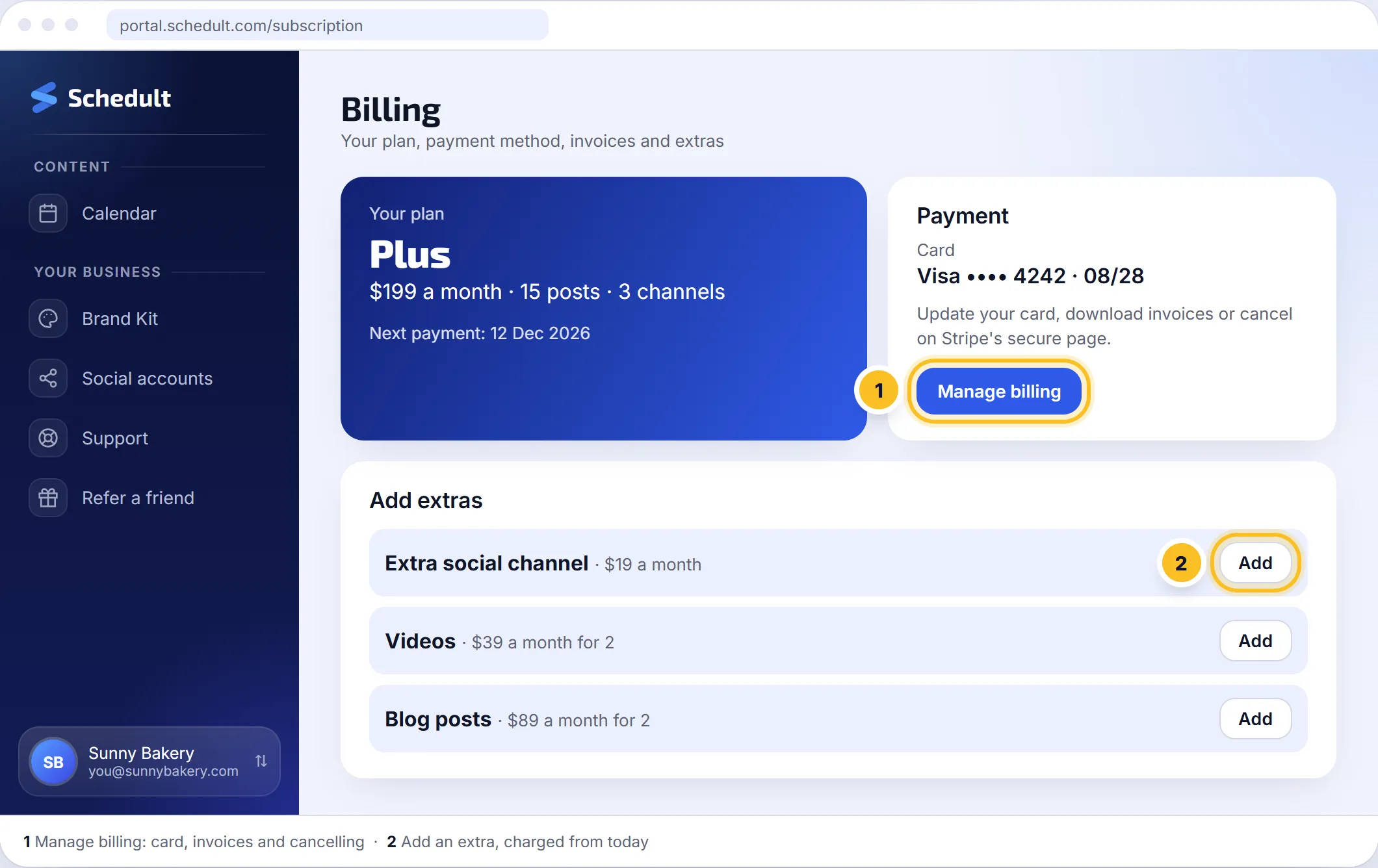
- Click your name at the bottom of the portal’s menu, then Billing.
- Click Manage billing.
- On Stripe’s page, click Cancel and confirm.
What happens next
- During the trial: you aren’t charged anything.
- On a paid plan: your plan runs until the end of the period you’ve already paid for, and you aren’t charged again. Billing shows the date it ends.
- Posts already scheduled for that period still go out, unless you delete them on the Calendar.
Changed your mind?
You can undo a cancellation until the end of your paid period. Open Manage billing and renew, or contact us.
Before you go
If something isn’t working for you, tell us. Often a different plan, posting times or style fixes it, and we’d like the chance.
Your data after cancelling
Your account stays until you ask us to delete it. See Your data and privacy.