 Schedult
Your posts
Ask for a change to a post
How to ask for a change, how many changes your plan includes and what counts as one.
Don’t like something in a post? Ask for a change right on the post, before its date, and we’ll change it.
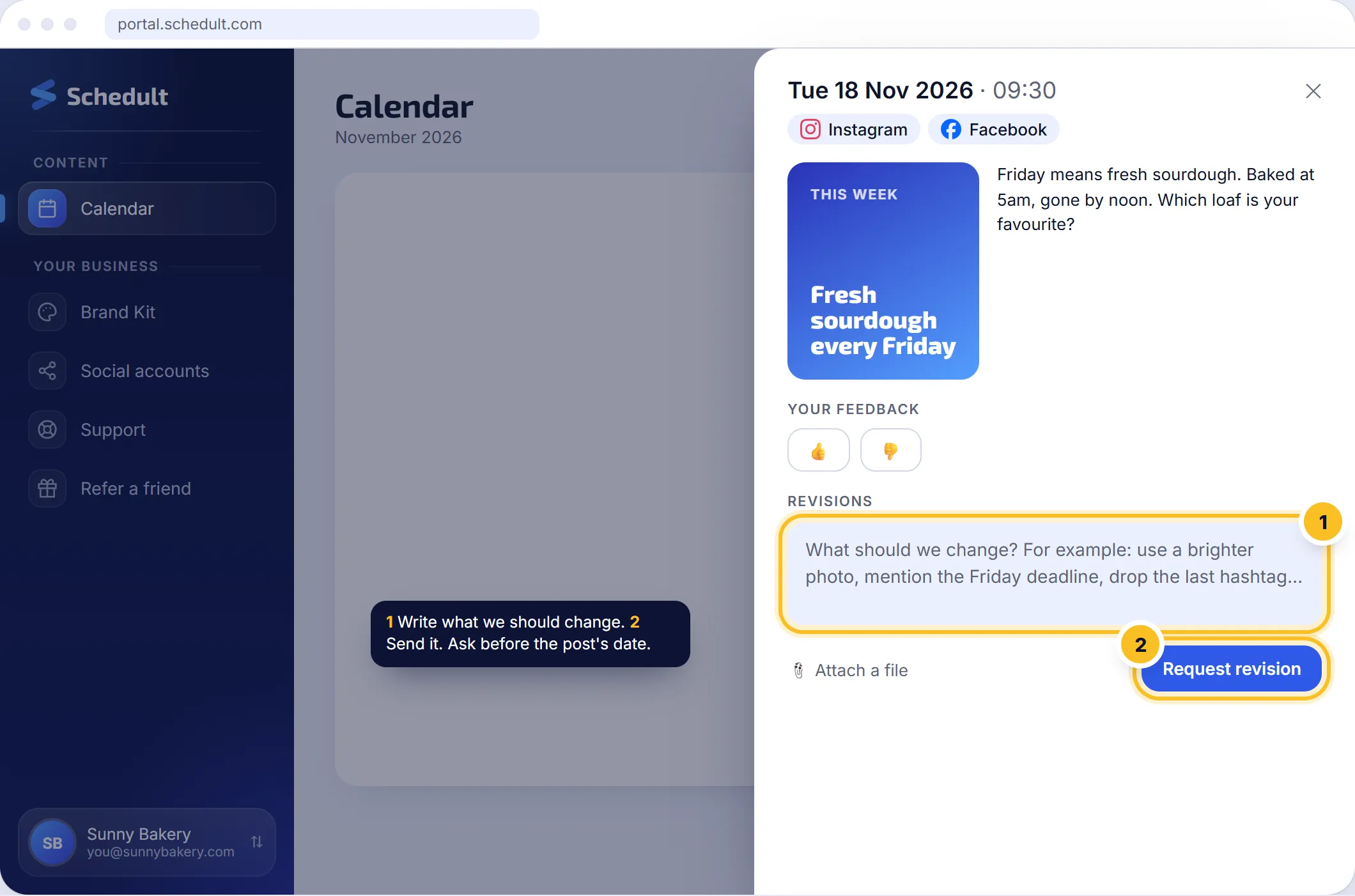
Ask for a change step by step
- Go to Calendar and click the post.
- Scroll below the rating to the change request box.
- Write what we should change. Be specific, for example “use a brighter photo”, “mention the Friday deadline” or “drop the last hashtag”.
- Attach a file if it helps, such as a photo you’d like us to use.
- Send it. The post shows that a change was requested, and you can add more notes to it at no extra cost.
Tip: ask at least a day before the post goes out, so there’s time to make the change.
How many changes do I get?
| Plan | Changes a month |
|---|---|
| Free trial | Unlimited |
| Standard | 10 |
| Plus | Unlimited |
| Premium | Unlimited |
One change means one post. Several notes on the same post in the same month count once. Changes on blog posts come out of the same allowance.
“No revisions left this month”
You’ve asked for changes on all the posts your plan allows this billing month. The allowance renews every month from your billing date, on yearly plans too. Need more?
- Add 15 extra changes ($29 a month) under Billing, or
- Move to Plus for unlimited changes.
A post went out with a mistake
Once a post is live it sits on the platform itself, so you can edit or delete it there. Tell us and we’ll make sure the next posts get it right.
I don’t like the style in general
Ask for changes on the posts concerned and update your Brand Kit, or contact us, so the next months follow what you want.