 Schedult
Connecting your channels
Connect your Facebook business Page (not your personal profile)
Facebook connected your personal profile instead of your business Page, or your Page doesn't show up? Here's how to connect the right one.
Facebook only lets apps post to business Pages, never to personal profiles. When you connect Facebook you log in with your personal account, because that’s how Facebook works, and then choose the business Page that sits under it. If you skip the Page choice, nothing is connected that we can post to.
Connect your Page step by step
-
In the portal, go to Social accounts.
-
If your personal profile or a wrong Page is listed under Connected profiles, click the bin icon next to it and confirm.
-
Under Connect a profile, click Facebook.
-
Log in to Facebook if it asks you to. It’s fine that you see your own name: that’s the account that manages your Page.
-
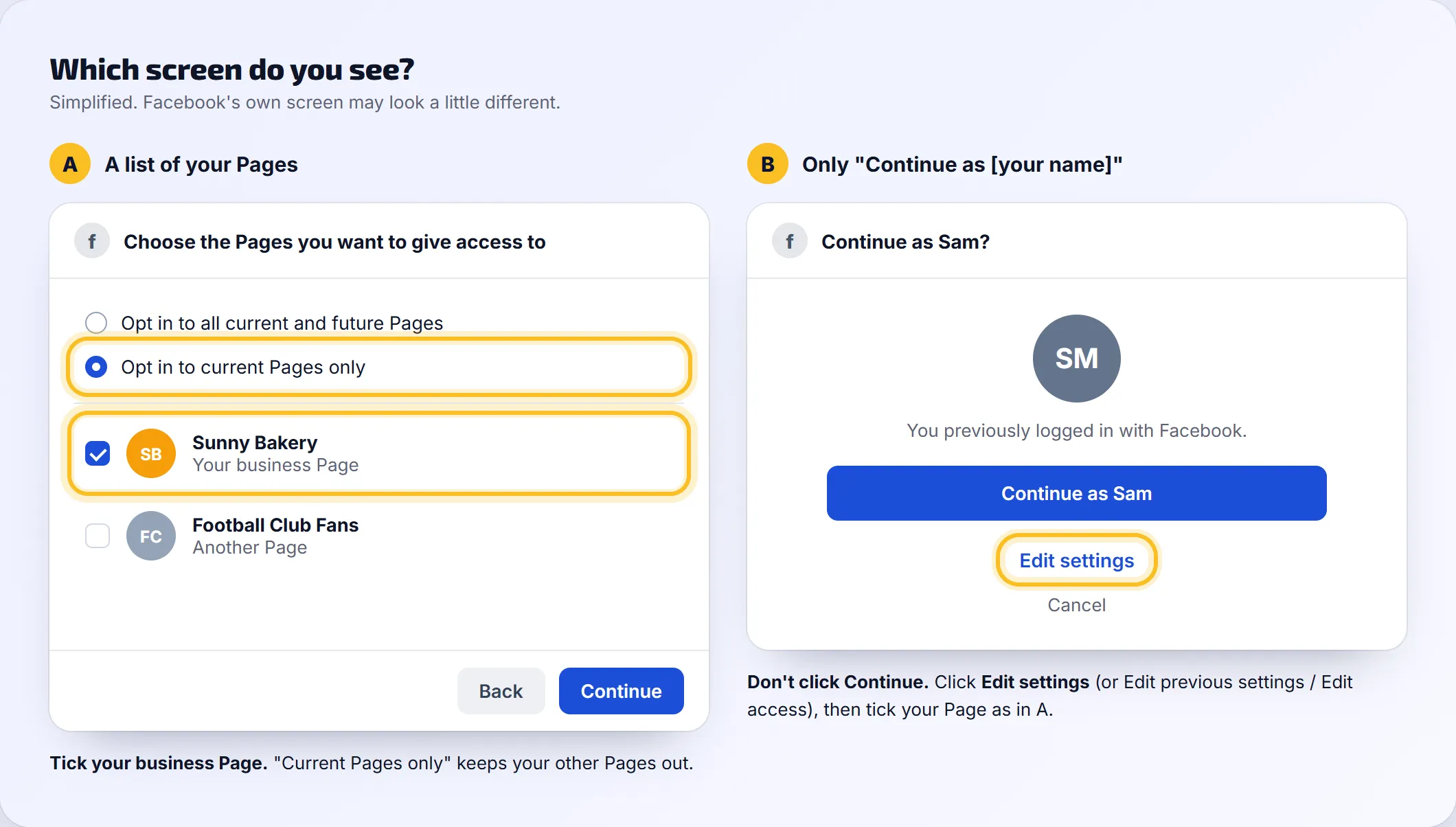
Facebook now asks which Pages to give access to. You’ll see one of two screens:
- A list of your Pages: tick your business Page. Opt in to current Pages only keeps your other Pages out.
- Only “Continue as [your name]”: don’t continue. Click Edit settings (sometimes Edit previous settings or Edit access), then tick your Page.
-
On the next screens, leave every permission switched on and click Save or Done.
-
Back in the portal, tick your business Page if it asks Which profiles should we post to?, and click Keep.
-
Check the Page shows under Connected profiles. Click its link to make sure it’s your business Page.
Facebook skipped the Page list
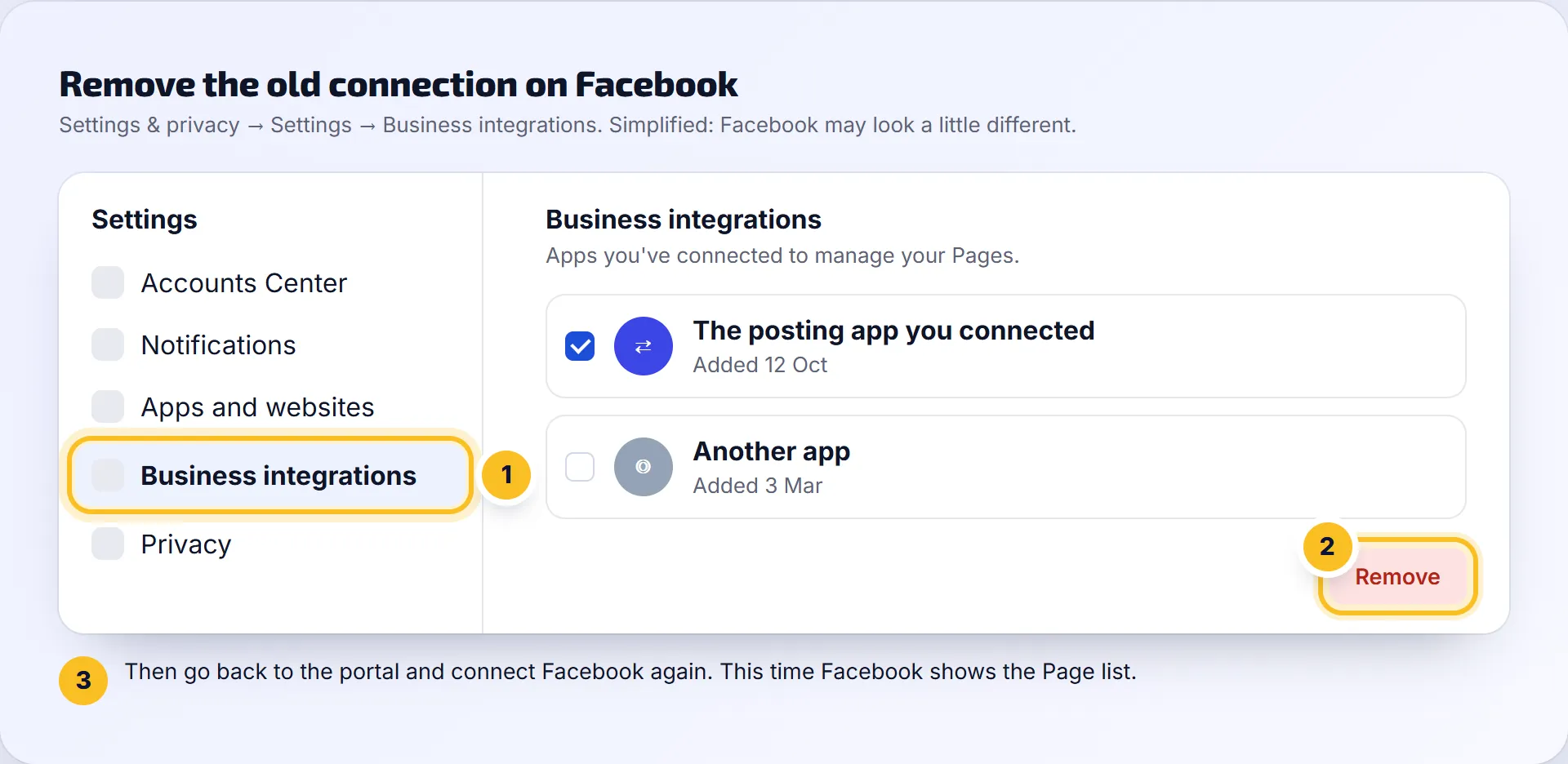
Facebook remembers your choice from an earlier sign-in and doesn’t ask again. Clear the old choice and connect again:
- On Facebook, open Settings & privacy, then Settings.
- Find Business integrations (on some accounts it’s under Apps and websites).
- Remove the posting app you connected before.
- Go back to the portal and follow the steps above from step 3.
My business Page isn’t in the list at all
You need full control of the Page, which Facebook calls “Facebook access with full control” (Admin on older Pages). Without it, Facebook doesn’t show the Page to apps.
- Ask whoever created the Page to open the Page’s Settings, then Page access.
- They add you with full control.
- If the Page belongs to a Meta Business account (Meta Business Suite), they also give you full control of the Page there.
- Accept the invite on Facebook, then connect again in the portal.
Can you post to my personal Facebook profile?
No. Facebook stopped letting any app post to personal profiles. You need a Facebook Page for your business. Don’t have one yet? Contact us and we’ll help you set it up.
Do you also need my Instagram?
Instagram is a separate channel with its own button. If your Instagram is linked to your Facebook Page, connecting it is easier. See Connect Instagram.