 Schedult
Connecting your channels
Fix a disconnected profile
A profile says "Disconnected"? Here's why it happens and how to reconnect it in a minute.
Platforms end app connections from time to time. While a profile is disconnected, posts can’t go out to it, so reconnect it as soon as you can.
Why it happens
- The login expired. Facebook and Instagram do this every few weeks or months.
- You changed your password, or the platform ran a security check.
- Your access to the Page changed, for example someone removed you as admin.
- The account type changed, for example Instagram switched back to a personal account.
Reconnect step by step
- In the portal, go to Social accounts.
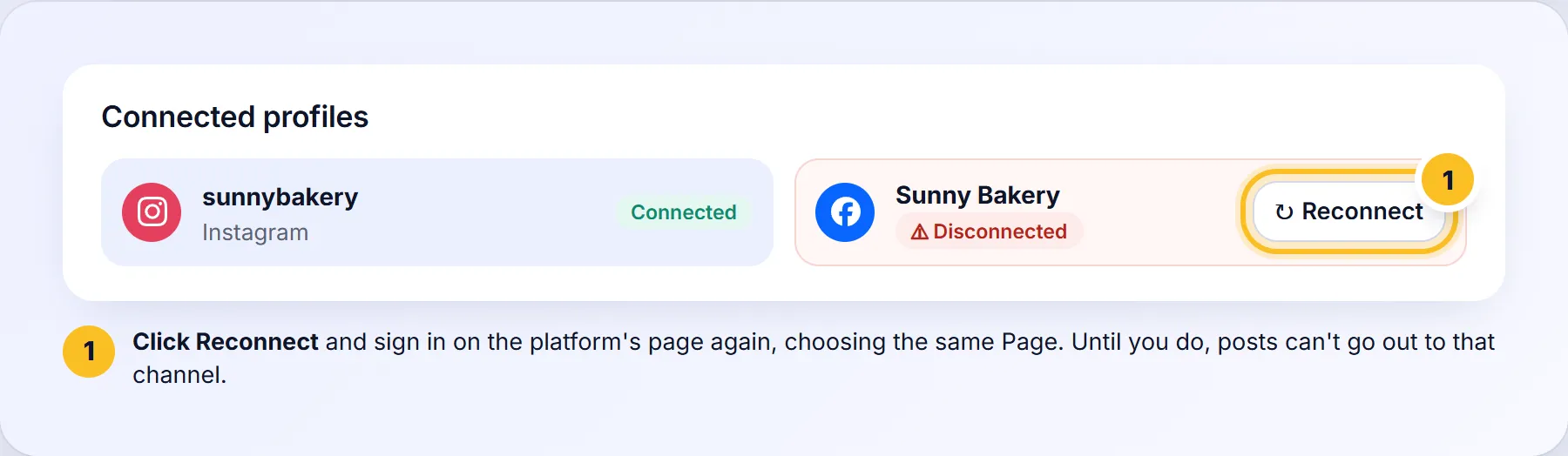
- Find the profile marked Disconnected under Connected profiles.
- Click Reconnect next to it.
- Sign in on the platform’s page and allow access again, choosing the same Page or account.
- The profile shows as connected again. Upcoming posts go out as planned.
How will I know?
We check every connection every 12 hours. When one disconnects you get a notice in the portal’s bell and an email (unless you turned these emails off), with one reminder after 48 hours.
Reconnecting doesn’t work
- Check you still have admin access to the Page or account.
- For Facebook, remove the old app connection first: see Facebook skipped the Page list.
- For Instagram, check it’s still a Business or Creator account.